Build privacy-focused blazing fast tweet embeds – CodeWithSwiz 30
Twitter embeds every tweet on your page as an iframe. Loads 1.2MB of JavaScript, makes 20+ HTTP requests and uses 100+ DOM nodes. 💩
You can feel your browser lagging when there's a few tweets up there. Like running with a parachute.
Last week we set out to fix this with a Gatsby plugin for Twitter embeds without JavaScript. This week we got it working 🤘
Here's the full build, read on for a recap and how it works
Full code at Github Gist, needs cleanup before opensourcing as a library 😇
CodeWithSwiz is a weekly live show. Like a podcast with video and fun hacking. Focused on experiments and open source. Join live Tuesday mornings
The setup
We're building a plugin for the gatsby-remark-embedder Gatsby plugin. Because that's what I use on my sites :)
You can adapt this technique for anything. Even NextJS.
It works like this:
- On page render (during build or server-side-render)
- Take tweet ID from URL
- Call Twitter API, get data
- Construct HTML
- Replace URL with HTML
gatsby-remark-embedder runs my code on Markdown nodes that look potentially like tweet urls. You could turn it into an MDX plugin, or build a React component.
When users load your page the tweets are there. In the initial HTML. No client-side JavaScript, no iframe shenanigans, no tracking.
Grab tweet data from Twitter
Last time we discovered that Twitter's oEmbed API, an embedding standard, doesn't give us everything we need. No author avatars, no like and reply counts, no media links.
You can get those and more from Twitter API v2 /tweets/:id.
We're using the opensource twitter-lite client. Looks solid, nice API, works great. 👌
Initialize Twitter client
A memoized function initializes the client.
// src/StaticTwitterEmbed.js

// Memoized twitter client instance
let twitterClient = null
async function getAppClient() {
  if (twitterClient) {
    return twitterClient
  }

  // init user-client
  const user = new Twitter({
    consumer_key: process.env.TWITTER_CONSUMER_KEY,
    consumer_secret: process.env.TWITTER_CONSUMER_SECRET,
  })

  // create app-client with higher limits
  const response = await user.getBearerToken()
  twitterClient = new Twitter({
    version: "2",
    extension: false,
    bearer_token: response.access_token,
  })

  return twitterClient
}
Global variable holds the client instance. If variable defined, return, if not, initialize.
Each initialization logs into Twitter with an API call for the bearer token. You don't wanna do this for every tweet on your entire website.
Get a tweet
With an initialized and logged-in client, we can get a tweet using its ID.
// src/StaticTwitterEmbed.js
// fetch tweet from API
async function getTweet(tweetId) {
  const client = await getAppClient()

  try {
    const tweet = await client.get(`tweets/${tweetId}`, {
      "tweet.fields": "public_metrics,created_at",
      expansions: "author_id,attachments.media_keys",
      "user.fields": "name,username,url,profile_image_url",
      "media.fields": "preview_image_url,url",
    })

    return tweet
  } catch (e) {
    console.log(e)
  }

  return null
}
For simplicity, we always get the client in this function. Makes logic self-contained and we aren't worried about overdoing it thanks to memoization.
client.get(tweet/:id) fetches a tweet. Careful incantation of parameters gives us the extra info we need. Author, media, and metrics.
Response looks like this:
{
  data: {
    text: 'My man @Swizec went and sent me a signed first edition of this soon to be classic 👊 https://t.co/Gw8cTIY7pH',
    public_metrics: {
      retweet_count: 1,
      reply_count: 2,
      like_count: 18,
      quote_count: 0
    },
    attachments: {
      media_keys: [ '3_1388192274866126849', '3_1388192274874523648' ]
    },
    author_id: '68567860',
    id: '1388192278884331530',
    created_at: '2021-04-30T18:03:25.000Z'
  },
  includes: {
    media: [
      {
        media_key: '3_1388192274866126849',
        type: 'photo',
        url: 'https://pbs.twimg.com/media/E0PZhN9WQAEMhsJ.jpg'
      },
      // ...
    ],
    users: [
      {
        name: 'Adam Rackis',
        profile_image_url: 'https://pbs.twimg.com/profile_images/1183169082243375104/FwXKVe5H_normal.jpg',
        id: '68567860',
        username: 'AdamRackis',
        url: 'https://t.co/sJJo16akDF'
      }
    ]
  }
}
Fun gotcha: You have to request expansions: "author_id,attachments.media_keys" for media.fields and author.fields to work. Detail buried in API docs.
A simplified tweet HTML
The getHTML function tells gatsby-remark-embedder what to replace a Markdown node with. Tweet comes in as a URL.
Before our plugin, tweets turned into <blockquote> elements that the Twitter JavaScript would turn into monster iframes on page load. Often with a big delay. Sometimes breaking on mobile.
Now we do this 👇
// src/StaticTwitterEmbed.js
async function getHTML(url) {
  const twitterUrl = url.replace("events", "moments")
  const tweetId = twitterUrl.split("/").pop()

  const tweet = await getTweet(tweetId)

  if (!tweet) {
    console.log("TWEET NOT FOUND", twitterUrl, tweetId)
    return ""
  }

  return buildTweetHTML(tweet)
}
We borrowed the events -> moments transform from the original plugin. Gonna need to test if that still works. 🤔
tweetId is the last element of the URL when split by /. This will break if you include any ?... cruft when embedding.
Like I said, not ready yet for opensource :)
Then we get the tweet and buildTweetHTML.
buildTweetHTML
This function is a mess. You can see it in full at line 63 of the Gist.
It's a mess because we're handcrafting HTML and can't use React. No JSX transform deep in the bowels of a Gatsby plugin.
And it's very procedural. Reads like a step-by-step recipe.
- Get the author
// src/StaticTwitterEmbed.js
// buildTweetHTML
const author = tweet.includes.users.find(
  (user) => user.id === tweet.data.author_id
)
You can't guarantee author is the first user in the list. Gotta find by id.
- Reconstruct the tweet URL
// src/StaticTwitterEmbed.js
// buildTweetHTML
const tweetURL = `https://twitter.com/${author.username}/status/${tweet.data.id}`- Construct the author HTML
// src/StaticTwitterEmbed.js
// buildTweetHTML
const authorHTML = `<a class="author" href="${author.url}"><img src="${author.profile_image_url}" loading="lazy" alt="${author.name} avatar" /><b>${author.name}</b>@${author.username}</a>`
Great candidate for a React component huh 😅

- The tweet HTML is easy
// src/StaticTwitterEmbed.js
// buildTweetHTML
const tweetHTML = `<blockquote>${tweet.data.text.replace(
  /https:\/\/t.co\/(\w+)/,
  ""
)}</blockquote>`
- Media HTML is a list of images
// src/StaticTwitterEmbed.js

function buildMediaList(media) {
  const width = media.length > 1 ? "50%" : "100%"
  return media
    .map(
      (media) =>
        `<img src="${
          media.preview_image_url || media.url
        }" width="${width}" loading="lazy" alt="Tweet media" />`
    )
    .join("")
}

// buildTweetHTML
const mediaHTML = tweet.includes.media
  ? `<div class="media">${buildMediaList(tweet.includes.media)}</div>`
  : ""
Tried to use CSS for media widths and couldn't hack it. We know from experience that twitter renders images at 50% and in multiple rows.
loading="lazy" is important for Lighthouse scores. Ensures you aren't loading images users can't see.
- Finally, the metadata HTML is a complete mess
// src/StaticTwitterEmbed.js
// buildTweetHTML

const createdAtHTML = `<div class="time"><a href="${tweetURL}">${new Date(
  tweet.data.created_at
).toLocaleTimeString()} – ${new Date(
  tweet.data.created_at
).toLocaleDateString()}</a></div>`

const likeIntent = `https://twitter.com/intent/like?tweet_id=${tweet.data.id}`
const replyIntent = tweetURL

const statsHTML = `<div class="stats"><a href="${likeIntent}" class="like">${likesSVG}${tweet.data.public_metrics.like_count}</a> <a href="${replyIntent}" class="reply">${repliesSVG}${tweet.data.public_metrics.reply_count}</a></div>`
🤮
But it works and that's what matters.

- Put it all together
// src/StaticTwitterEmbed.js
// buildTweetHTML

return `<div><div class="static-tweet-embed">
        ${authorHTML}
        ${tweetHTML}
        ${mediaHTML}
        ${createdAtHTML}
        ${statsHTML}
    </div></div>`
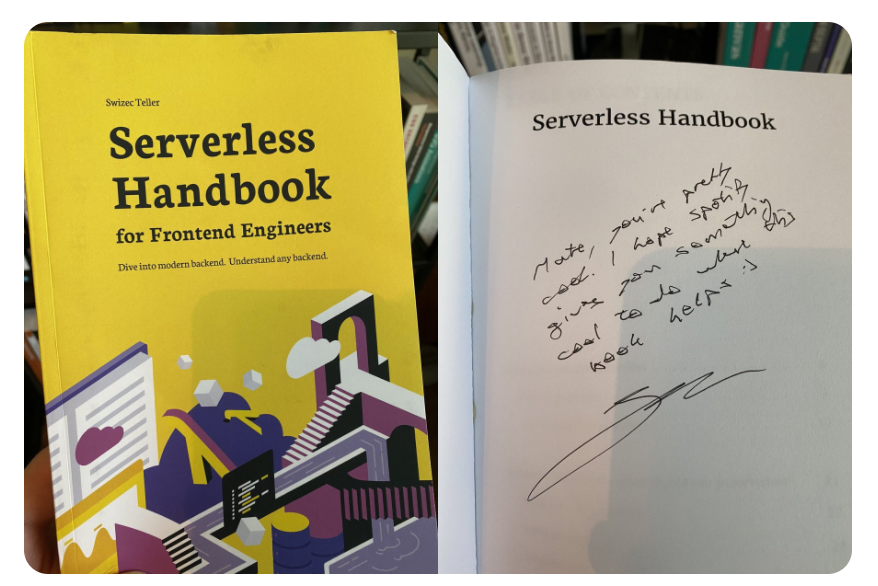
And you get a great looking tweet:

The CSS styles
You need CSS to make all that HTML look like a tweet.
This little bit gets you most of the way there:
div.static-tweet-embed {
  display: flex;
  flex-direction: column;
  font-family: -apple-system, BlinkMacSystemFont, "Segoe UI", Roboto, Helvetica,
    Arial, sans-serif;
  max-width: 550px;
  width: 100%;
  margin-top: 10px;
  margin-bottom: 10px;
  border: 1px solid rgb(196, 207, 214);
  border-radius: 12px;
  padding: 12px 16px 4px 16px;
}

div.static-tweet-embed blockquote {
  margin: 0;
  font-size: 20px;
  padding: 0px;
  border: 0px;
  color: rgb(15, 20, 25);
  line-height: 24px;
}
System fonts, border, rounded corners, padding, correctly sized text.
You can see (and borrow) the rest on the public gist.
The result
Your page feels faster. It's hard to explain, you have to try.
Scroll to the bottom here 👉 https://serverlesshandbook-4d7y3ge3f-swizec.vercel.app/
Now scroll here 👉 https://serverlesshandbook.dev
Feel the difference? Reload at bottom for extra groan
Cheers,
~Swizec
PS: yes, you can measure the impact with Lighthouse, it's not invisible – 43 becomes 54 :)