[CodeWithSwiz 21] useAuth beta support for Firebase 🎉
It works! useAuth has beta-level support for Firebase Auth 🥳 I did not expect that to take 3 sessions.
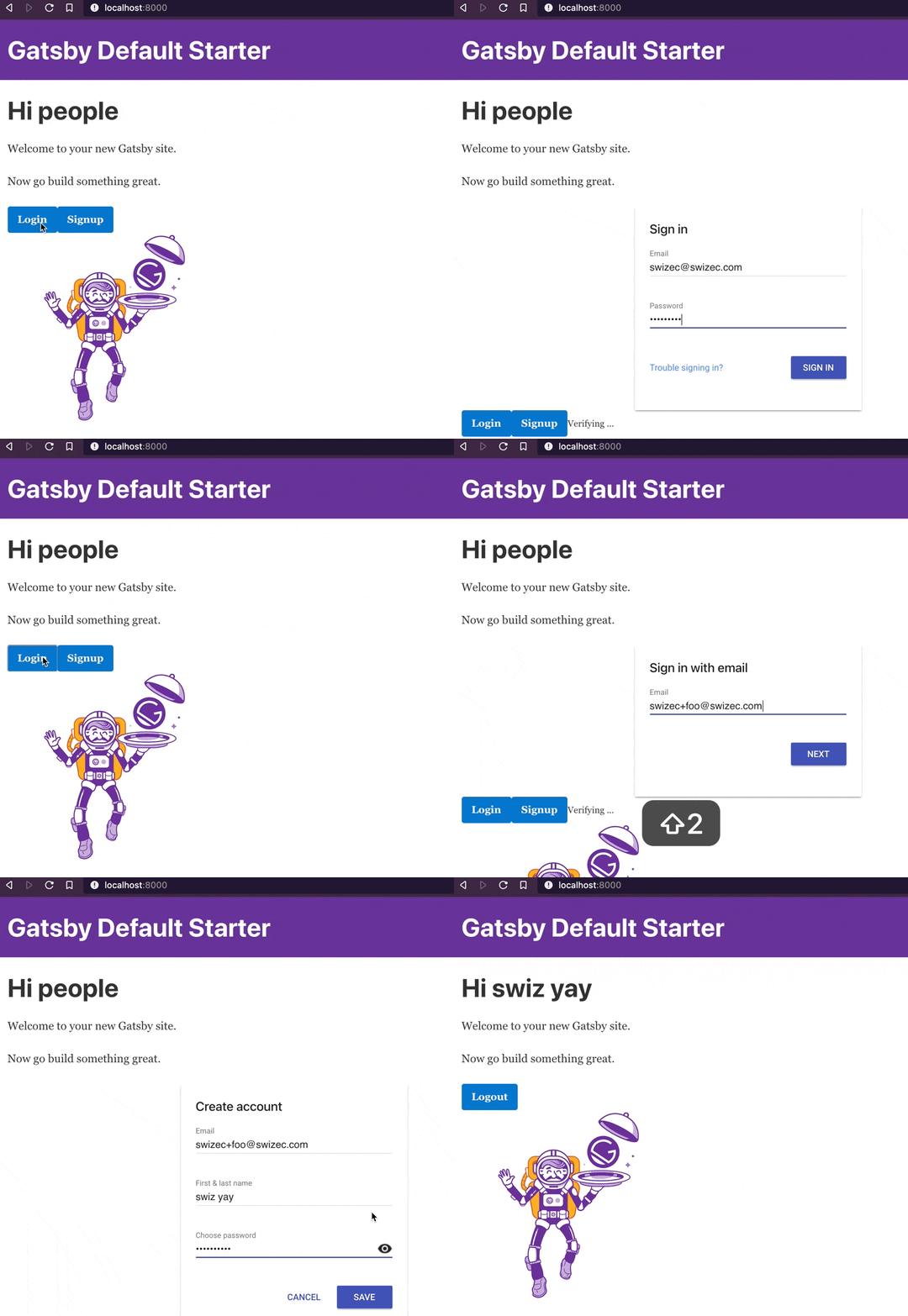
Are you a Firebase user? Can you please try it out and tell me what's missing. It would mean a lot ❤️
CodeWithSwiz is a weekly live show. Like a podcast with video and fun hacking. Focused on experiments and open source. Join live Mondays
We got to a working proof of concept in last week's episode. Rough UI, transitions bad, state machines not synced, and we knew it worked because console.log spat out a user.
Encouraging but not useful.
This episode was about polishing that turd into a useful beta. Improve the config experience, sync Firebase's and useAuth's state machines, recover sessions on page load, tighten up TypeScript types.
And as a bonus, we ran into ye olde this problem. Thought those days were behind me 🥲
Improve the config experience
You want to reduce moving parts while prototyping. Make sure you can move fast and ignore fiddly details.
Hardcoding config is a time-honored tradition. A great way to leak your API keys on GitHub and get an AWS account shut down, too.
Here's how it works now:
// as a user

<AuthConfig
  authProvider={FirebaseUI}
  navigate={navigate}
  params={{
    // Firebase standard practice to copypasta this blob?
    firebaseConfig: {
      apiKey: "AIzaSyCdtQ6V3qDxpgDO-usa3zWvBhIJKpAd4mM",
      authDomain: "useauth-demo.firebaseapp.com",
      projectId: "useauth-demo",
      storageBucket: "useauth-demo.appspot.com",
      messagingSenderId: "520315046120",
      appId: "1:520315046120:web:4384141e88f49e638c215d",
    },
  }}
/>
Reading Firebase docs, it sounds like copy-pasting your firebaseConfig object is standard practice. Go into the dashboard, click a button, paste into your project.
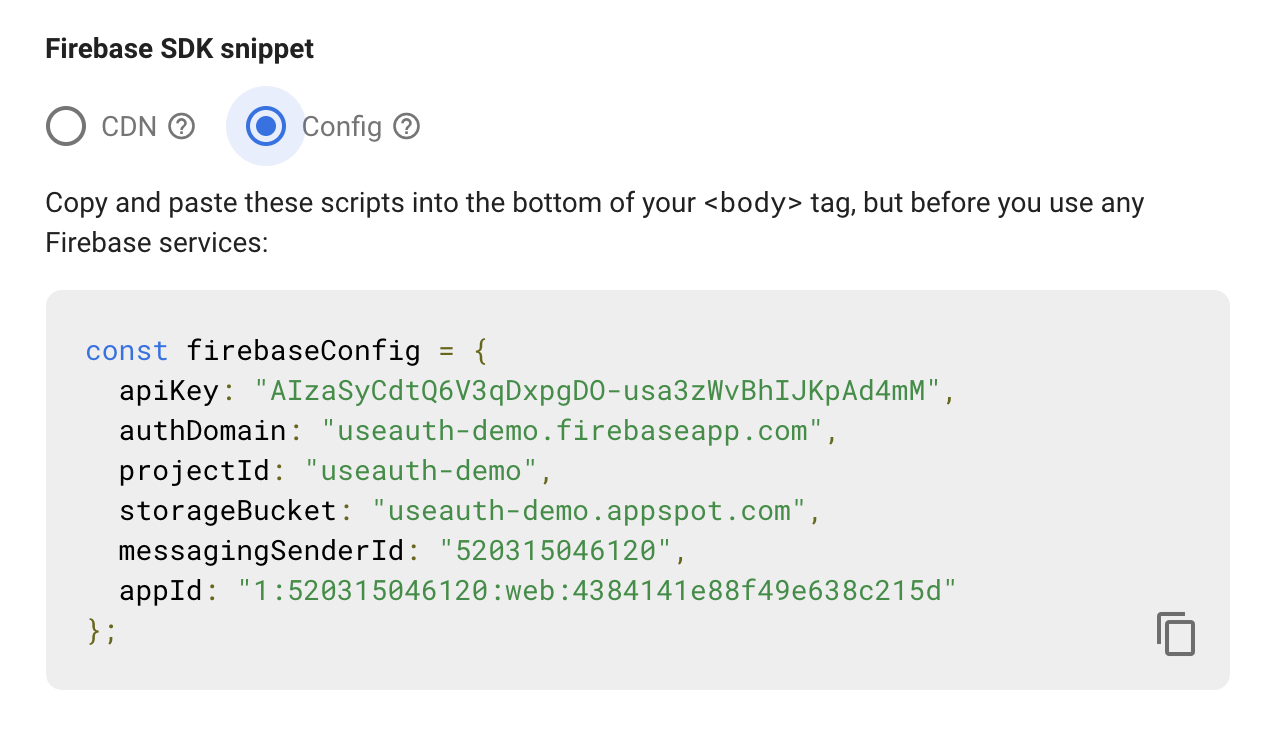
Keeping things familiar so users don't get scared ✌️
Passing an initialized app
You might have a Firebase app in your stack already. For authentication or otherwise.
When you pass firebaseConfig useAuth initializes a new app for itself. That might not be a good idea.
Instead, you can pass an existing initialized firebase app.
// as a user
<AuthConfig
  authProvider={FirebaseUI}
  navigate={navigate}
  params={{
    // pass initialized app
    firebaseApp: Firebase,
  }}
/>
A conditional in FirebaseUI takes the params object and decides which path to take.
// src/providers/FirebaseUI.ts

if (params.firebaseConfig) {
  this.firebase = Firebase.initializeApp(params.firebaseConfig, "useAuth")
} else if (params.firebaseApp) {
  this.firebase = params.firebaseApp
} else {
  throw "Please provide firebaseConfig or initialized firebaseApp"
}
If there's no config, we throw an error. I hope it's a helpful error ... wish I knew how to encode that in TypeScript. Feels like the type system should enforce conditionally optional params 🤔
Sync Firebase's and useAuth's state machines
You can think of Firebase and useAuth as 2 state machines running side by side. Firebase keeps track of user state, useAuth wants to keep track of user state.
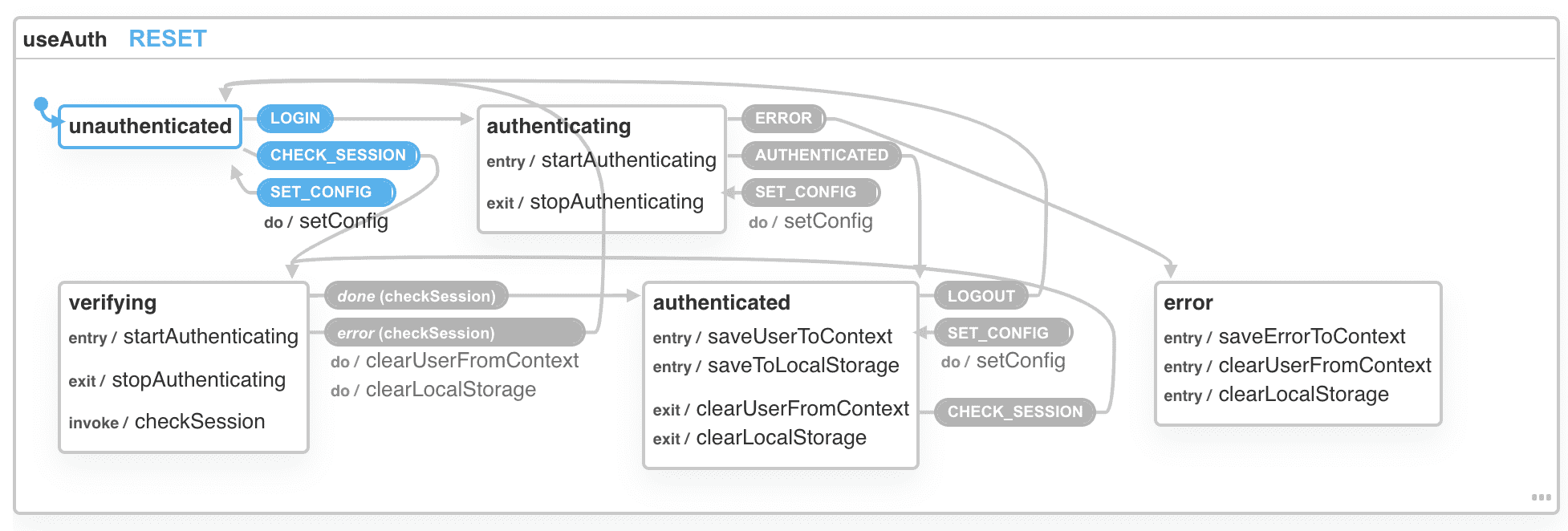
Syncing state machines is a notoriously difficult problem. You try to figure it out and after 3 days you say "Damn it, why didn't I read a book first?"
Your best bet is the observer pattern. If the target state machine supports it. Otherwise the actor model works fine.
You end up with a system like this:
- useAuth subscribes to Firebase
- User does a thing
- Firebase changes state
- Firebase tells useAuth
- useAuth changes state
- useAuth hook updates return values
- React re-renders affected components
Two machines weakly communicating through events, independently changing their internal state. 🤘
In code you get this:
// src/providers/FirebaseUI.ts

constructor(params: AuthOptions & FirebaseOptions) {
    // ...

    // Auth state observer
    this.firebase
        .auth()
        .onAuthStateChanged(this.onAuthStateChanged.bind(this));
}

private onAuthStateChanged(user: Firebase.User | null) {
    if (user) {
        this.dispatch("LOGIN");
        this.dispatch("AUTHENTICATED", {
            user: this.firebase.auth().currentUser,
            authResult: {
                // needed for useAuth to work
                expiresIn: 3600
            }
        });
    }
}
We subscribe to auth changes with a callback function. The function checks for a user, if one is present, it goes through useAuth events to log you in.
We dispatch the LOGIN and AUTHENTICATED events because XState doesn't allow jumping ahead. As it shouldn't. But we don't know when this code runs – could be on init before we start logging in.
Might need to dispatch LOGOUT when there's no user 🤔
Recover sessions on page load
useAuth has built-in support for validating user sessions on page load. That's like a core value prop.
To make that happen, it uses a side-effect to call a checkSession function on the auth provider. That method is meant to phone home, check your cookies, whatever it needs to decide "Is the current user still the current user?"
Firebase makes that part pretty okay:
public async checkSession(): Promise<{
    user: AuthUser;
    authResult: Auth0DecodedHash;
}> {
    // verify session is still valid
    // return fresh user info
    const user = this.firebase.auth().currentUser;

    if (user) {
        // throws if user no longer valid
        await user.reload();

        return {
            user,
            authResult: {
                // needed for useAuth to work
                expiresIn: 3600
            }
        };
    } else {
        throw new Error("Session invalid");
    }
}
Grab the current user from Firebase, reload their info, return user object and fake an expiresIn timer to keep useAuth happy.
I considered storing the user.toJSON() version of the user object, but that strips away Firebase methods. Figured people used to Firebase would want to keep those.
Although the object is gnarly as heck ...
The dreaded this
This part.
// Auth state observer
this.firebase.auth().onAuthStateChanged(this.onAuthStateChanged.bind(this))
Bloody hell I can't remember the last time I had to manually bind a function to its object. Nice reminder that class FirebaseUI {} is syntax sugar for dark magic from 2010.
Forget to bind and onAuthStateChanged doesn't know which object it belongs to when called as a callback. Throws cryptic errors. 🙃

🎉
And we got a working beta version.
But I don't know what's missing. Need to play around more, try different configurations and authentication modes. Figure out how to make developer experience better
Are you a Firebase user? Can you please try it out and tell me what's missing. It would mean a lot ❤️
Cheers,
~Swizec