Configuring your JAMStack app for prod vs. dev
You should always keep development and production separate my friend, but how do you pull that off when everyone has your back and tries to keep your app secure?
wait what 🤨
Here's the problem 👉
You've built a cool app. Static JAM on the frontend, Serverless functions on the backend, nearly free to host, super fast to load. It's amazing and you're proud as heck.
Time to show off!

You know dev and production should be separate. Wouldn't want users to see a bug next time you mess around with code. Sure as heck don't want to mix test and production data.
Prod vs. Dev on your serverless backend
Separating development and production on your backend is easy as pie. Change the stage: in serverless.yml and voila.
Using the demo app from ServerlessReact.Dev for example:
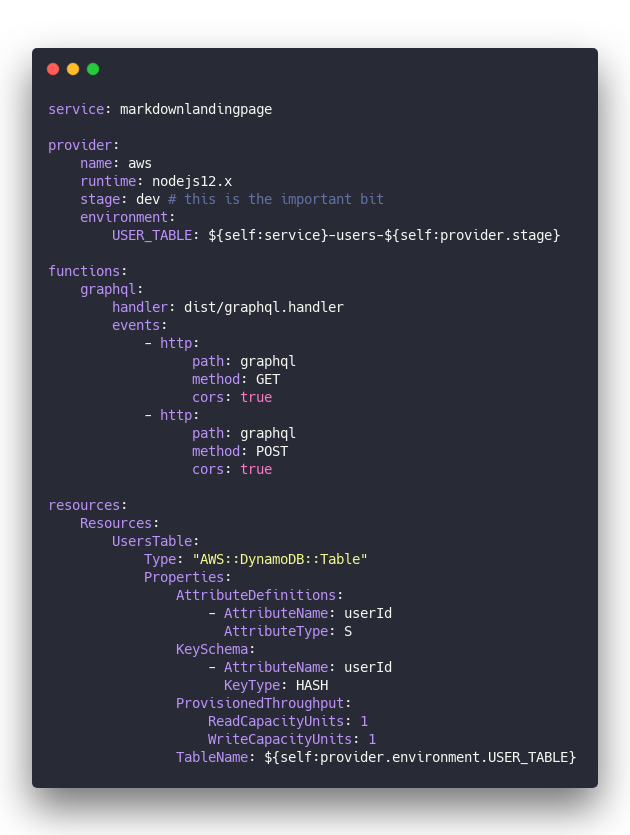
This configures a /graphql endpoint served by an AWS Lambda and a DynamoDB table to store your data. Both the DynamoDB table and the GraphQL endpoint use stage as part of their name.
Change that to stage: dev to stage: prod, run yarn deploy, and you get a whole new copy of your backend infrastructure. A new AWS Lambda, new DynamoDB table, everything.

Making your stage easy to change
Changing serverless.yml on deploy is tedious. You'll commit the wrong version to git, too.
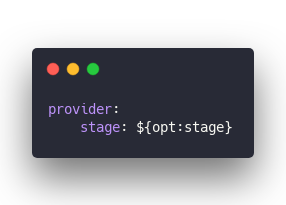
Define your stage with command line arguments instead!
Like this:
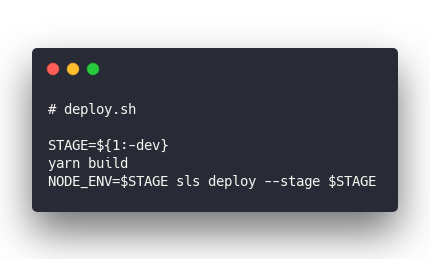
Now you can add a helpful little bash script – because I couldn't figure out how to do this with Node and Bash is just fine. 😇
Add to your package.json ...
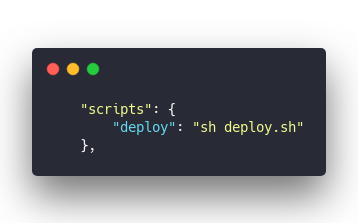
And you can run yarn deploy prod to deploy to production, or yarn deploy to get development by default.
Wonderful.
Prod vs. Dev on your JAMStack frontend
Separating production and development on the JAM is easy in theory 👉 push to a branch and you get a deploy preview. Press a button or push to a special branch and you get production.
Both Netlify and Zeit do that. I'm sure others do, too.
That was easy.
Now, how do you tell your app that production data lives on ...amazonaws.com/prod/graphql and development should talk to ...amazonaws.com/dev/graphql?

That's where it gets tricky.
I've found 3 approaches with varying levels of success and different tradeoffs.
1. The Gatsby way
Gatsby comes with built-in support for .env files. Put your environment variables in .env.development or .env.production, access through process.env and let Gatsby handle the rest.
Say you want to tell Gatsby which GraphQL endpoint to use when building your JAMStack app.
Go in gatsby-config.js and add your server as a source
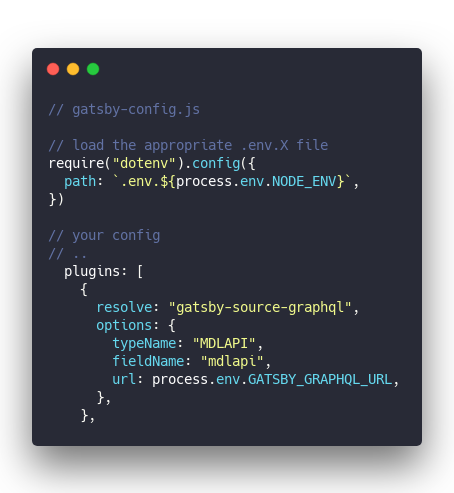
You can now configure the GATSBY_GRAPHQL_URL environment variable in 2 files to differentiate production and development.
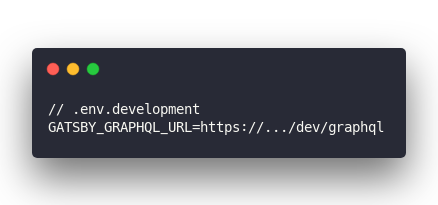
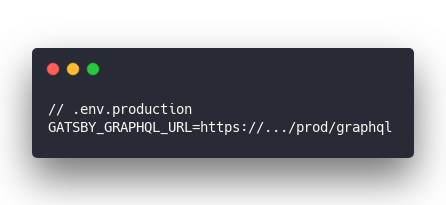
Gatsby will choose production when you run gatsby build and development when you run gatsby development.
You can even use these in the browser!
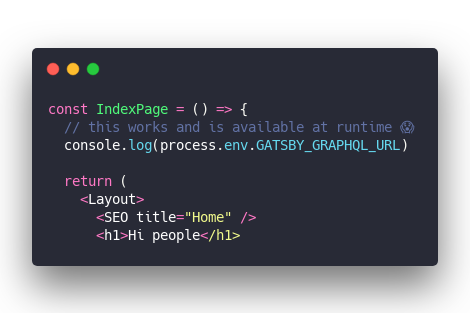
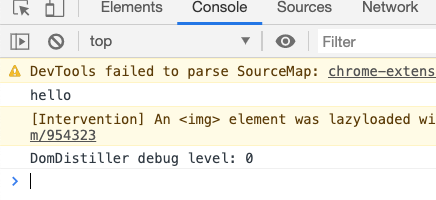
👌
The tradeoff
The Gatsby way breaks down when you deploy.
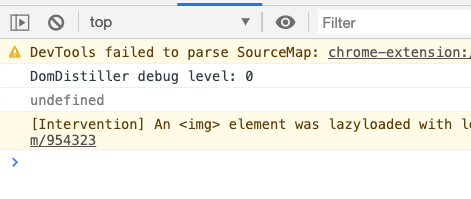
Both Zeit and Netlify helpfully strip your .env files during deploy. Wouldn't want to store secrets in plaintext on their servers.
This is great from a security perspective.
And it breaks Gatsby support for .env files. They aren't available during build. 🤦♂️
2. The Zeit way
The Zeit way is more secure. You store secrets and configs in their secure storage. Encrypted, easy to rotate, not part of your code.
Now you gotta jump a couple more hoops.
First you add your secret to Zeit
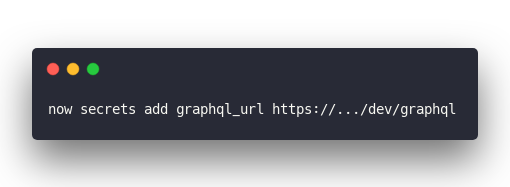
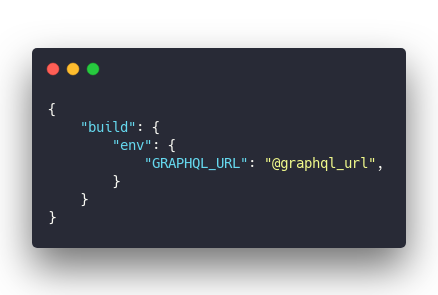
Then you create a now.json file
And then, you use it in gatsby-config
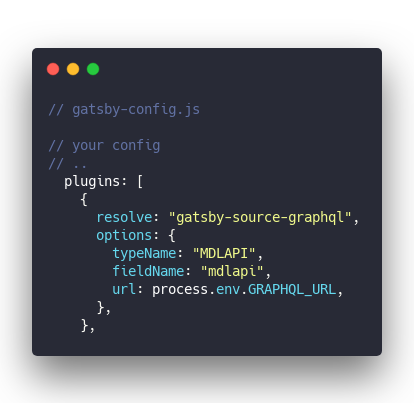
When you deploy to Zeit, the build process takes your now.json, replaces @variable with values from storage, loads the configs into process.env, and Gatsby can use them while building.
Sounds complicated ... 🤨
But it works. Sort of
Netlify has a similar approach, by the way.
The tradeoff
Notice there's no prod vs. dev. You get a config and that's it. Zeit says they'll have native support for environments soon.
The other tradeoff is that these configs aren't available at runtime. You get them when compiling and can't use them in the browser.
And you can't import 'now.json' either. Zeit deletes that file ☹️
3. The way that actually works
In the end, here's what works best:
- Put your configs in JSON files
- Import in gatsby-config.js
- Add to
siteMetadata - Access via static queries
Kinda bonkers but it works.
You start with 2 JSON files similar to the original .env approach.
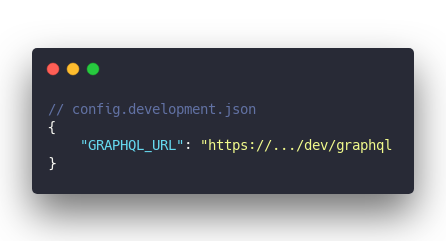
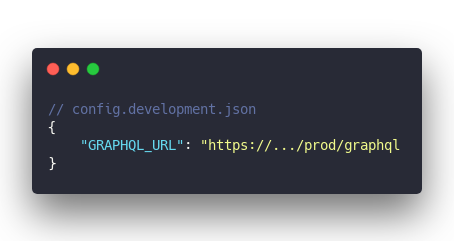
Import in gatsby-config.js
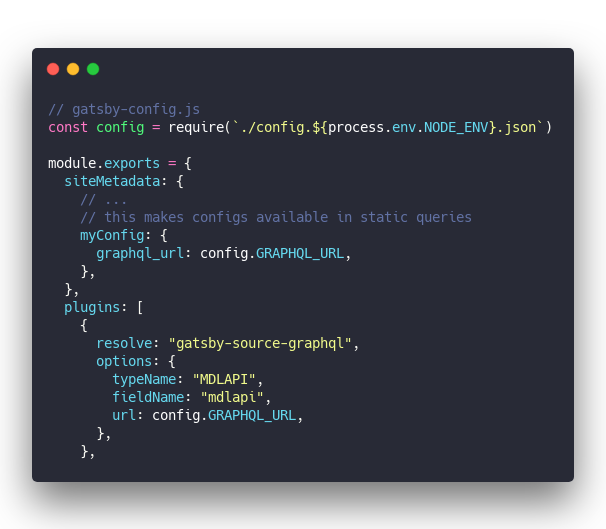
Use the configs directly in your build-time code via config.X. Works just fine.
You can import JSON files in the browser, sure, but you won't know which environment. Put them in siteMetadata.myConfig instead, so you can get configs with static queries anywhere in your app.
Like this
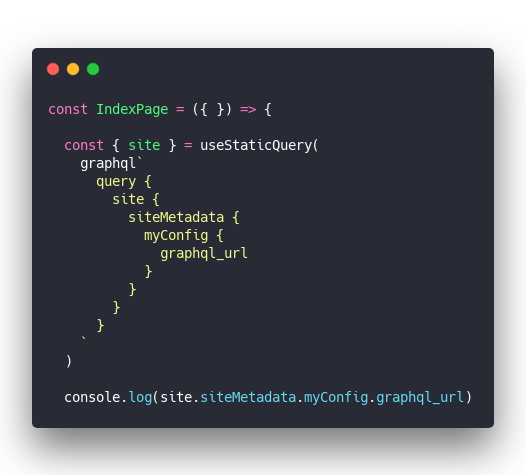
And you get ...
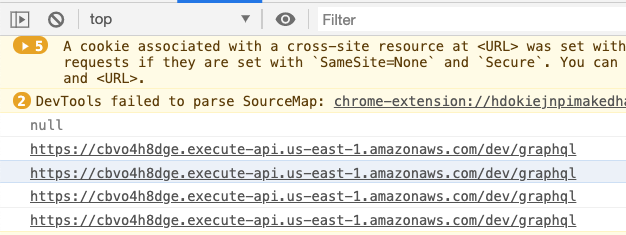

The tradeoff
You're storing configs in version control. In plaintext. They better not be secret 😉
And you'll have to re-deploy any time you change a value.
But hey at least it works.
In conclusion
There's no perfect solution here yet, I'm afraid. The JSON approach combined with static queries seems best for now. If you've found something better, I'd love to know.
Happy hacking ✌️
Cheers,
~Swizec
PS: I like to use AWS SecretsManager on the backend for real secrets, maybe there's an API you could use from the browser 🤔