How to configure Jest with TypeScript
this is something I do just rarely enough that it's a pain in the butt. Next time Google is going to find this article and we'll know what to do 🤞
Jest is a testing framework from Facebook. Fast becoming an industry standard thanks to a good balance between flexibility and batteries included. No need to cobble together a bunch libraries into a bespoke framework nobody outside your team understands.
cough sinon, mocha, chai, karma cough
Using plain Jest on a TypeScript codebase has rough edges. Your code compiles before testing, which means you:
- Can't use types in your tests
- Don't get type errors in your tests
- Get error messages about compiled instead of source code
- Have to debug compiled JavaScript and manually relate back to TypeScript source code
The goal: full TypeScript support in your tests, type checking when running tests, meaningful error messages. 😍
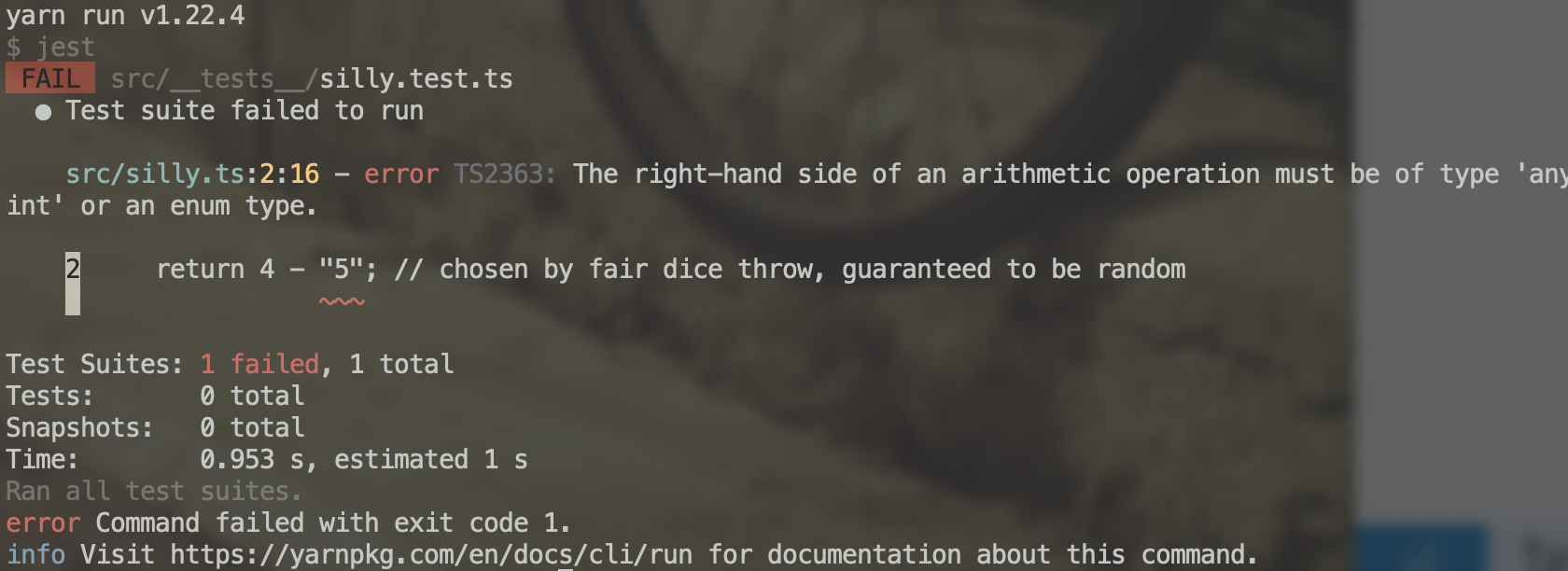
We'll get there with ts-jest, a Jest transformer that enables Jest to understand TypeScript.
You can see the full repository for this code on GitHub.
Initial setup
We start with an empty-ish repository after running git init and yarn init. Or an existing codebase. Either works :)
For the initial setup we can use ts-jest's install documentation
yarn add -D jest typescript ts-jest @types/jest ts-node yarn ts-jest config:init
This installs jest and ts-jest, TypeScript (if you don't have it yet), and type definitions for jest so TypeScript knows what's available. You'll need ts-node to support TypeScript-based configuration later.
config:init gives you a default config file like this:
// jest.config.js
/** @type {import('ts-jest/dist/types').InitialOptionsTsJest} */
module.exports = {
  preset: "ts-jest",
  testEnvironment: "node",
}
Make tests runnable
If you don't have it yet, add this section to your package.json:
{
  "scripts": {
    "test": "jest"
  }
}
You can now run yarn test to fire up Jest and run all your tests. Jest doesn't require any configuration to find your tests. Goes through the whole project and looks for files that look like they're tests.
This will bite us later, but it's lovely.
Configure TypeScript
If you haven't yet, you'll need to configure TypeScript. I like to use this file as a sane default, it's traveled with me through many projects:
// tsconfig.json
{
  "compilerOptions": {
    "target": "es2017",
    "types": ["node", "jest"],
    "allowJs": true,
    "skipLibCheck": true,
    "esModuleInterop": true,
    "allowSyntheticDefaultImports": true,
    "strict": true,
    "forceConsistentCasingInFileNames": true,
    "module": "commonjs",
    "moduleResolution": "node",
    "resolveJsonModule": true,
    "isolatedModules": true,
    "baseUrl": ".",
    "noFallthroughCasesInSwitch": true,
    "outDir": "./dist"
  },
  "compileOnSave": true,
  "include": ["."]
}
The key parts are:
"types": ["node", "jest"], tells TypeScript to assume node and jest types are globally available. Make sure you includejest."outDir": "./dist"I like to put compiled files in/dist. Best add dist this to.gitignoreso you don't add compiled files to git"forceConsistentCasingInFileNames": trueif you work on a Mac and deploy to anything but a Mac, this is going to save you lots of frustration. Ask me how I know 😖
Tell TypeScript to ignore Jest files
Jest encourages you to put test files next to the code you're testing. Makes tests easier to find and cleans up imports.
What's better?
this:
// tests/api/v2/importantBlob/functions.test.ts
import functionBeingTested from "../../../src/api/v2/importantBlob/functions"
or this:
// src/api/v2/importantBlob/__tests__/functions.test.ts
import functionBeingTested from "../functions"
🤔
Let's agree colocating tests and code is better.
But now you have a problem – when TypeScript builds your code, all those test files end up in dist/. Bloats your builds and in some cases confuses Jest about which files to run and breaks testing.
Solution: a special config for builds:
// tsconfig.build.json
{
  "extends": "./tsconfig",
  "exclude": ["**/*.test.*", "**/__mocks__/*", "**/__tests__/*"]
}
This configuration tells TypeScript to exclude files that look like tests. It has to be separate otherwise ts-jest won't see your test files 🙃
To use tsconfig.build.json, add this to your package.json file or build process:
{
  "scripts": {
    "test": "jest",
    "build": "tsc -p tsconfig.build.json"
  }
}
Now when you run yarn build, typescript uses the special tsconfig.build.json configuration.
Improved Jest config
I didn't like having a JavaScript file floating around my pure and clean wonderful codebase just to configure Jest. Kill the default and make it TypeScript 💪
// jest.config.ts
import type { Config } from "@jest/types"

const config: Config.InitialOptions = {
  preset: "ts-jest",
  testEnvironment: "node",
  verbose: true,
  automock: true,
}
export default config
Much better.
Same ts-jest preset and node test environment as before, added verbose and automock. Automock is nice because it tells Jest to automatically create a mocked version of any imported code.
Great for ensuring a clean environment for every test. And you can define specific behavior when you need it. We'll talk about that another time.
Write a test
To ensure everything's working, we write a quick test.
Put a silly function in src/silly.ts:
export function sillyFunction() {
  return 4 // chosen by fair dice throw, guaranteed to be random
}
And a test for this function in src/__tests__/silly.test.ts:
// requireActual ensures you get the real file
// instead of an automock
// we use import type and <typeof ...> to still get types
import type * as Silly from "../silly"
const { sillyFunction } = jest.requireActual<typeof Silly>("../silly")

describe("silly function", () => {
  test("guaranteed random", () => {
    expect(sillyFunction()).toBe(4)
  })
})

// required with this small example
// to make the isolatedModules config happy
export {}
We have to use jest.requireActual because of the earlier automock: true configuration. This loses type information for the code we're testing, so we help TypeScript by doing import type and passing that type to jest.requireActual with <>.
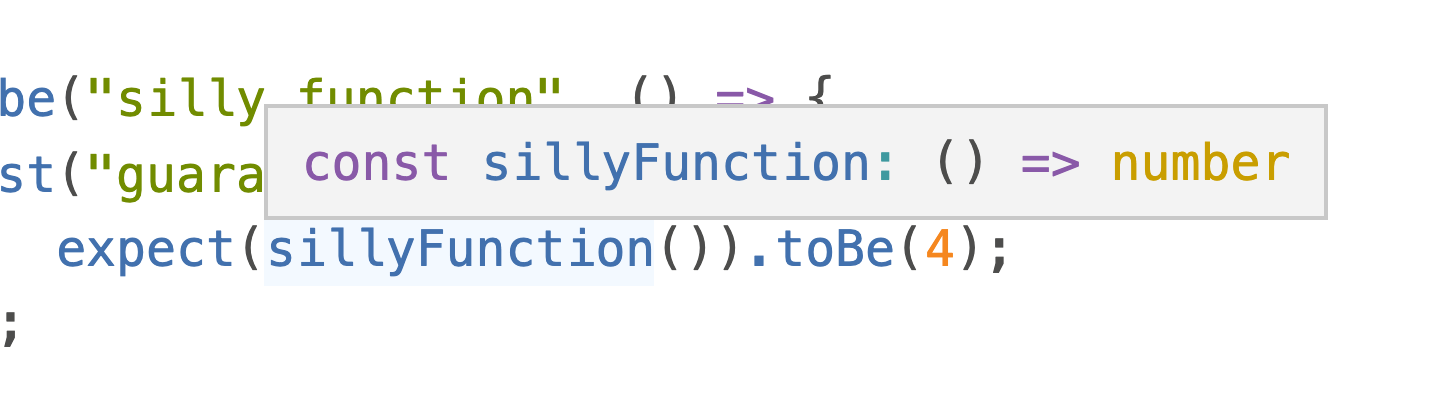
You keep full type hints in your test code:
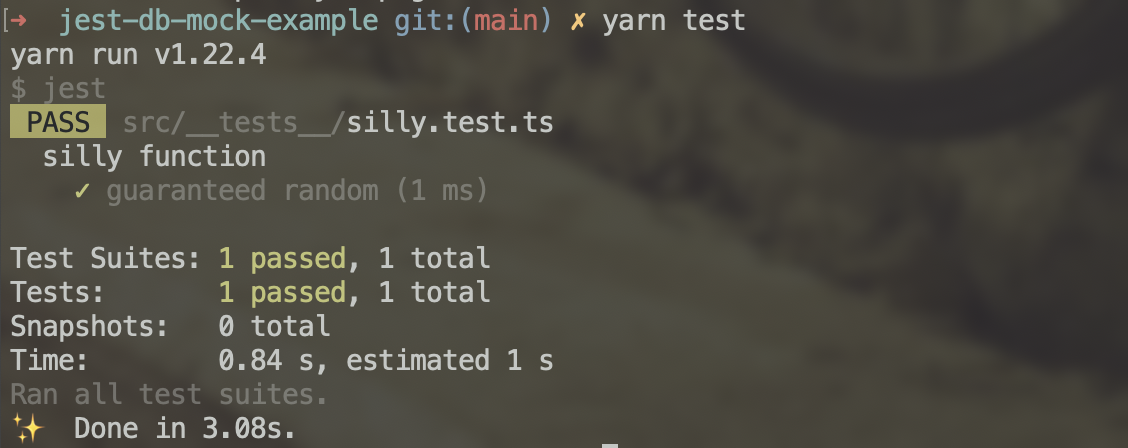
Run yarn test and you get a successful test run:
Happy testing ❤️
Cheers,
~Swizec
PS: this is the setup for an article coming next week, here's a sneak peek:
think I have a solution but needed to write this part first 🤞