HTMX – Server Components without React
Let's be honest: Half the APIs you write are for a specific purpose in a specific component on a specific page. Re-usable in theory but you've never tried.
One answer to this reality is tRPC – writing type-safe single-use APIs based on function calling. It's okay. Lots of boilerplate.
Another is to use React Server Components or approaches like TanStack Start. You write components that render on the server, grab data from regular functions, and your framework handles the rest. Mostly by hiding the RPC/API layer and dynamically swapping components into your UI tree.
But what if you don't have a JavaScript server?
HTMX
HTMX, based on good old HTTP, gives you all the benefits of server components without any of that pesky "Let's rewrite our entire server" nonsense. Perfect if you're not yet using client-side rendering (React or otherwise), don't want to, or have parts of your codebase where it isn't necessary.
We're using HTMX for our admin UIs. Lots of existing code, more and more spaghetti for interactivity, mostly forms.
Before HTMX
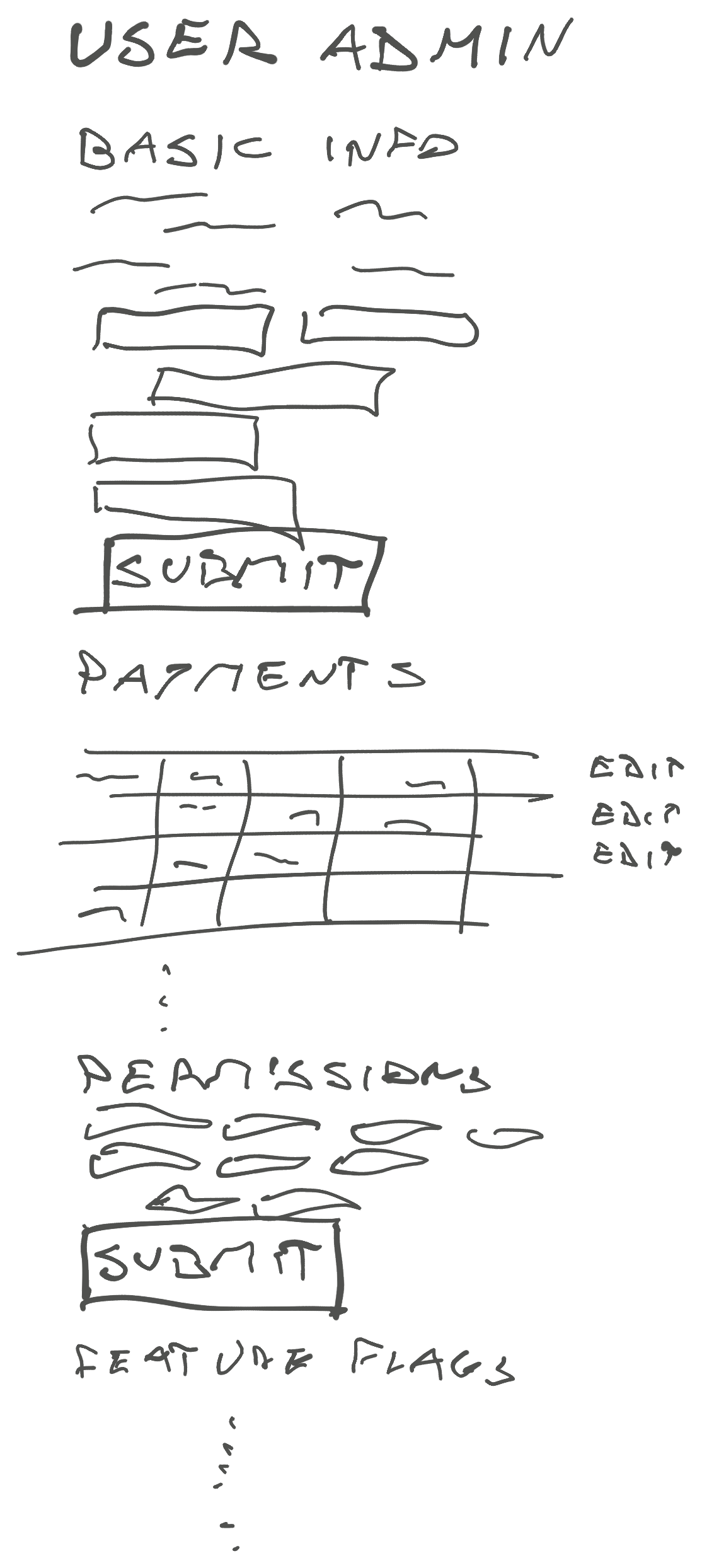
The typical admin page in a startup is resource-based. A God Page with everything you could ever need about a resource. Bounded contexts and workflows be damned.
The typical UX looks like this:
- Navigate to admin page
- Scroll to the right form
- Fill out fields
- Hit submit
- Get success or error
- See updated values
Maybe a sprinkle of jQuery to show/hide fields, enable a fancy date widget, or add a typeahead field. You hit submit and get a full page reload with a mix of alerts and flash messages for errors.
You don't need React for that. It's clunky but it works.
After HTMX
The biggest problem with God Page is that they are slow. And hard to maintain. And a small bug can wreck the whole resource. Someone tried to change a user name and oops the payment info is all gone.
Not to mention incompatible workflows when different kinds of users try to use the same page for different things. You'll have fun supporting that.
HTMX helps you split this into independent components.
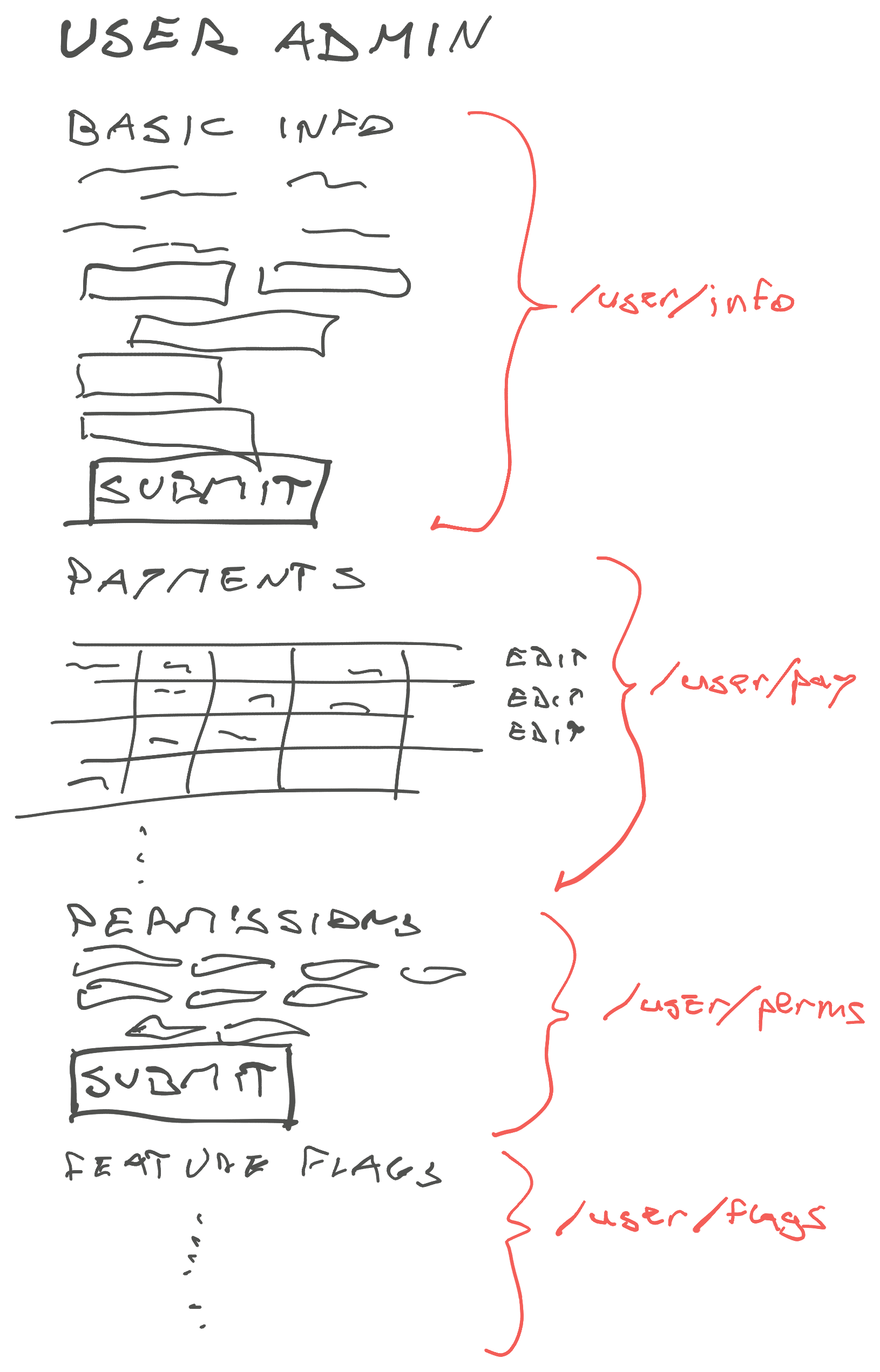
Each section gets its own URL, becomes self-contained, isolated from the rest of the page, and you let HTMX handle the orchestration. For users who need everything, you show all the widgets. For users who need to focus, you can route them to specific pages. Your component stays the same.
HTMX, a pseudo-code example
HTMX is the missing piece in my Pattern for Composable UI. My pattern was based on function calls which felt clunky in the Jinja world. HTMX lets you hide that detail.
Small tiny views
Say you have a page that lists items from a database and a form to add more. You'll want 3 views: a list, a page, and a form.
@views.route('/list')
def list():
	items = # fetch from DB
	return render_html('items.html', items=items)

@views.route('/form', methods=['POST'])
def form():
	if form.is_valid_submit():
		# add item
		response.headers["HX-Trigger"] = "itemsUpdated"
		return "Item added"
	else:
		return "Oh no a problem"

@views.route('/page')
def page():
	return render_html('page.html')
The list view returns a list of items, the form adds items and returns success or error as HTML, and the page returns HTML that ties it all together.
Basic HTML
That HTML is where it gets fun:
<div
  class="items"
  hx-get="/items"
  hx-trigger="load, itemsUpdated from:body"
></div>

<style>
  .htmx-request .loading {
    display: block;
  }
  .htmx-request button {
    display: none;
  }
</style>

<form hx-post="/form" hx-indicator="this" hx-target="find .message-display">
  <div class="message-display"></div>
  <!-- form stuff -->
  <button type="submit" />
  <span class="loading">Loading ...</span>
</form>
See those hx- attributes? They tell HTMX how to do all the dynamic stuff so you don't have to think about it.
The .items div fetches its contents from /items and drops them inside on page load. It reloads itself when you trigger an itemsUpdated DOM event.
The form posts to /form, puts itself in a loading state during the submission, then reports results into .message-display. If you add an HX-Trigger header to the response, it fires a DOM event that reloads any listening components.
Looks weird at first but I kinda like it.
Why HTMX?
Like I said: it's great for parts of your codebase that need light interactivity, render on the server, and deal mostly with CRUD. You could use this for super interactive UI but there's better tools for that.
Mostly HTMX is a nice way to get the benefits of composable UI development without jumping head first into a huge rewrite.
Cheers,
~Swizec