If it works together, it lives together
[name|Friend] when I got my first big LEGO set in the 90's – the legendary LEGO 8880 Super Car – it came in a big black box with a flippable lid, technical schematics, and a bright yellow plastic mold with 14 compartments to sort the 1347 parts before you started building.
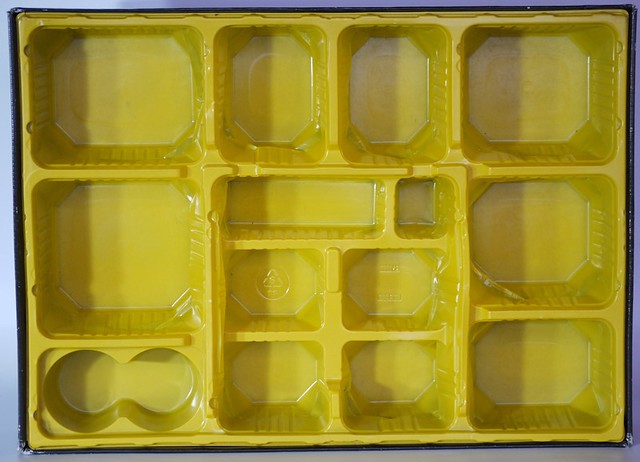
I must've built that car dozens of times over the years. Such a wonderful little machine. Independent wishbone suspension, 4 wheel steering, gears that shift, V8 engine. An aspiring engineer's dream.
Finding all the pieces was always the worst part. Sure I eventually memorized my entire LEGO collection and the smaller components remained assembled in those bins, but ugh.
By the time I got my second big LEGO set in 2020 – the Saturn V – LEGO had changed their strategy. The 1969 pieces came in a big box filled with numbered baggies.
Each baggie contains exactly the pieces you need to build one logical step of instructions. Like completing the core of a Saturn V rocket stage, or the full lunar lander.
There is no organization. Bags contain pieces of all colors, shapes, and sizes. Mechanical pieces mixed with minifigs, polished exterior plates, and large old school bricks. A total mess.
And it works. You blaze through the instructions never searching for anything. The ~164 pieces from each bag are in plain sight and you pick them out easily.
Small haystacks are fast to search.
Use the LEGO small bag principle in code
The same principle applies to code. When you're building a feature or fixing a bug, you want the smallest possible search area.
The less code that could impact your work and the closer it is, the faster you can move, and the less context you need to hold in your brain.
Code organized by kind
Imagine a webapp organized like the Super Car:
your-app/
├─ frontend
│ ├─ css/
│ ├─ javascript/
│ ├─ html/
│ ├─ requests/
├─ backend/
│ ├─ types/
│ ├─ models/
│ ├─ db_queries/
│ ├─ controllers/
│ ├─ routes/
│ ├─ json_renderers/
│ ├─ tests/
Folders neatly organized by the kind of code they contain, files exporting most functions because they need to be used in other files. Or in tests.
To build a new feature you'll add a file to all these folders. To know how it works, you'll need to hold the context across 11 files all in your head. Or have a large enough monitor to open them side by side.
Code organized by feature
Now imagine a webapp organized like the Saturn V:
your-app/
├─ frontend
│ ├─ account/
│ ├─ login/
│ ├─ articles/
├─ backend/
│ ├─ account/
│ ├─ login/
│ ├─ articles/
Frontend and backend have to stay separate because they run on different machines and use different libraries. You might even keep them in separate repositories.
But look at how quickly you know where to find code related to user login or listing articles. The folder name tells you! An emerging best practice even matches the URL to the folder name. If you know the URL, you know where to find the code.
The benefits
Internally each of these can be further split depending on complexity.
A frontend component can live in one big file that contains styles, data fetching, the HTML structure, and any UI logic. When you're making a change everything is right there in front of you.
And because it's all in one file, you don't need to export things that are meant to be internal to your component. Reduces confusion over what's internal and what's an interface 😍
On the backend this approach is modeled as a service architecture. Every module works as a self-contained independent service that runs a business concern. It exposes an interface and keeps its internals hidden. When you work on that feature, you only need to know its own context. When you use it, there's no need to know how it works.
As a result you have:
- less code to search through
- less context to understand
- fewer files to edit
And when files get too large, you split within the same directory. That way relevant code stays close and imports make sense. No more import Foo from '../../../../models/...'.
Cheers,
~Swizec