Testing socket.io apps

Socket.io is probably one of the coolest things to come out of the JavaScript world in recent years. Finally! Something that lets web developers create real-time apps without the fuss of thinking about websockets and long polling and all the other hacks that need to be used.
The idea is pretty simple, the server can emit an event and the client will pick it up. The converse also happens. Callbacks through the server-client barrier works as well. Socket.io takes care of deciding which of the real-time hacks should be used to make the magic happen.
Thing is, the interplay of client and server makes socket.io apps a bit difficult to test.
A good way I've found is the combination of Mocha, Chai and socket.io-client.
First, something to test
Let's take for example a very simple echo server. I used Express to make things easier to play with in the Chrome console. Here's the relevant part of app.js.
var server = (exports.server = http
  .createServer(app)
  .listen(app.get("port"), function () {
    console.log("Express server listening on port " + app.get("port"))
  }))

var io = require("socket.io").listen(server)
io.set("log level", 0)
// the important parts of echo server
io.sockets.on("connection", function (socket) {
socket.on("echo", function (msg, callback) {
callback = callback || function () {}
socket.emit("echo", msg)
callback(null, "Done.")
})
})After not forgetting to load /socket.io/socket.io.js into the index page, I can now run the server, point my browser to http://localhost:3000 and play around in the console like this:
> var socket = io.connect("http://localhost:3000")
undefined
> socket.on("echo", function (msg) { console.log(msg); })
SocketNamespace
> socket.emit("echo", "Hello World")
SocketNamespace
Hello World
Automating the test
Typing commands into a console, even clicking around a webpage is a rather arduous and boring process. The easiest way I've found to automate this is using Mocha and socket.io-client.
First thing we're going to need is requiring everything and making sure the socket.io server is running.
var chai = require('chai'),
    mocha = require('mocha'),
    should = chai.should();

var io = require('socket.io-client');

describe("echo", function () {

    var server,
        options ={
            transports: ['websocket'],
            'force new connection': true
        };

    beforeEach(function (done) {
        // start the server
        server = require('../app').server;

        done();
    });
See, simple :)
Now comes the interesting part, the actual test making sure our server does in fact echo what we ask it to.
it("echos message", function (done) {
  var client = io.connect("http://localhost:3000", options)

  client.once("connect", function () {
    client.once("echo", function (message) {
      message.should.equal("Hello World")

      client.disconnect()
      done()
    })

    client.emit("echo", "Hello World")
  })
})
The idea behind this test is simple:
- Connect client to server
- Once there's a connection, listen for echo event from the server
- Emit echo event to the server
- Server responds and triggers our listener
- Listener checks correctness of response
- Disconnects client
Disconnecting clients after tests is very important. As I've discovered, not disconnecting can lead to the socket accumulating event listeners, which in turn can fire completely different tests than what you expect. It also leads to tests that pass 70% of the time, but fail in random ways.
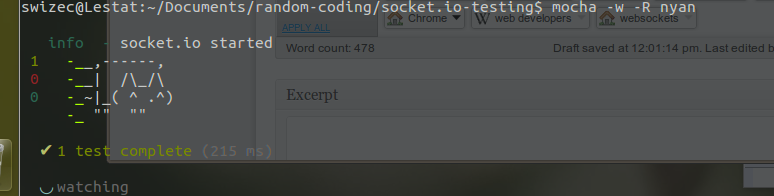
In the end, our efforts are rewarded by a happy nyan cat.
PS: you can see all the code on github.
Maria Ramos from Webhostinghub.com/support/edu has translated this post into Spanish.