Using DynamoDB Streams with the Serverless Framework
DynamoDB Streams are a convenient way to react to changes in your database. And surprisingly easy to use 🥳
I tried DynamoDB Streams over the holidays to fix an annoyance that's been bugging me for months – I never know when readers click 👍 👎 on my emails.
For the past ... year ... I've had a daily habit:
- Wake up
- Make tea
- Open AWS console
- Go to DynamoDB
- Look for
spark-joy-votes-prodtable - Look up the name of my latest email
- Type name into DynamoDB console
- Run a full table scan
- See feedback 🤩
And miss any and all feedback on my blog, on ServerlessHandbook.dev, on ReactForDataviz.com, and on evergreen emails running inside ConvertKit automations. 💩
Now all I have to do is check the #feedback channel on Slack.
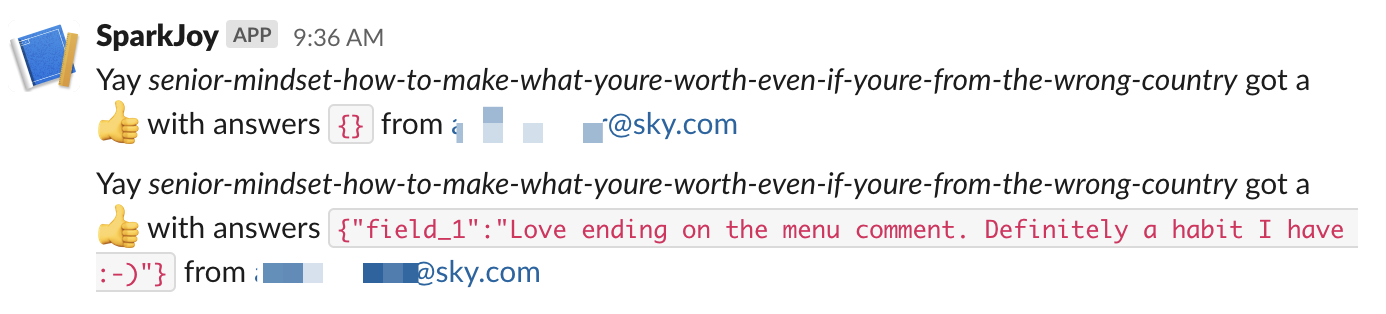
The code is open source. You can see the full pull request here. Keep reading to see how it works.
The architecture
Amazon's official DynamoDB Streams usage architecture diagram is ... intense.
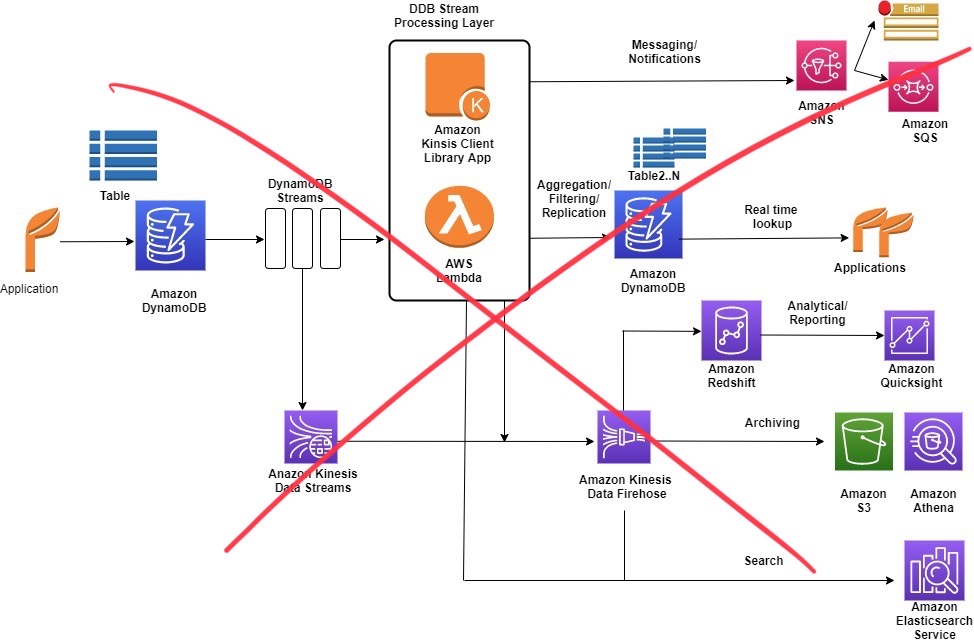
Following these diagrams must be why entire businesses exist to help companies improve their AWS bills. 💸
Here's all you need:
- An app that puts data into DynamoDB
- A DynamoDB table
- A stream attached to that table
- An app that listens to the stream
Because Serverless fits side-projects perfectly I like to put the app portions on an AWS Lambda. Like this:
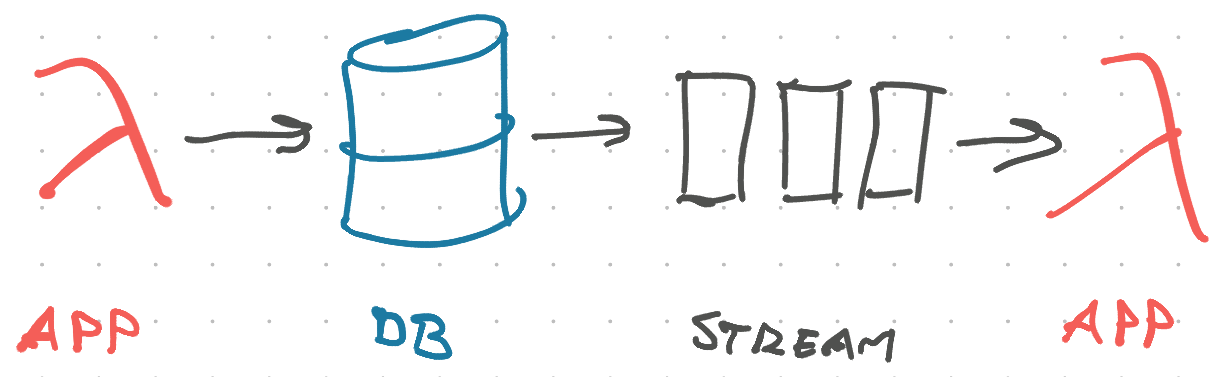
- A Lambda at the front handles GraphQL requests, inserts or updates data in the database
- DynamoDB stores the data
- DynamoDB Stream sends a change event to every listener (I don't know how this works underneath)
- Lambda listener wakes up and processes the event
In our case, it uses a Slack Incoming Webhook to send a message to a preconfigured channel.
Create a DynamoDB Stream with Serverless Framework
Assuming you're using serverless.yml to create all your resources, this part is easy. An extra 2 lines in your config:
# serverless.yml
resources:
  Resources:
    JoyFeedbacksTable:
      Type: "AWS::DynamoDB::Table"
      Properties:
        # ...
        TableName: ${self:provider.environment.FEEDBACKS_TABLE}

        # these 2 lines create a stream
        StreamSpecification:
          StreamViewType: NEW_IMAGE
You add StreamSpecification and define a StreamViewType. Serverless Framework handles the rest.
Run serverless deploy and you get a stream:
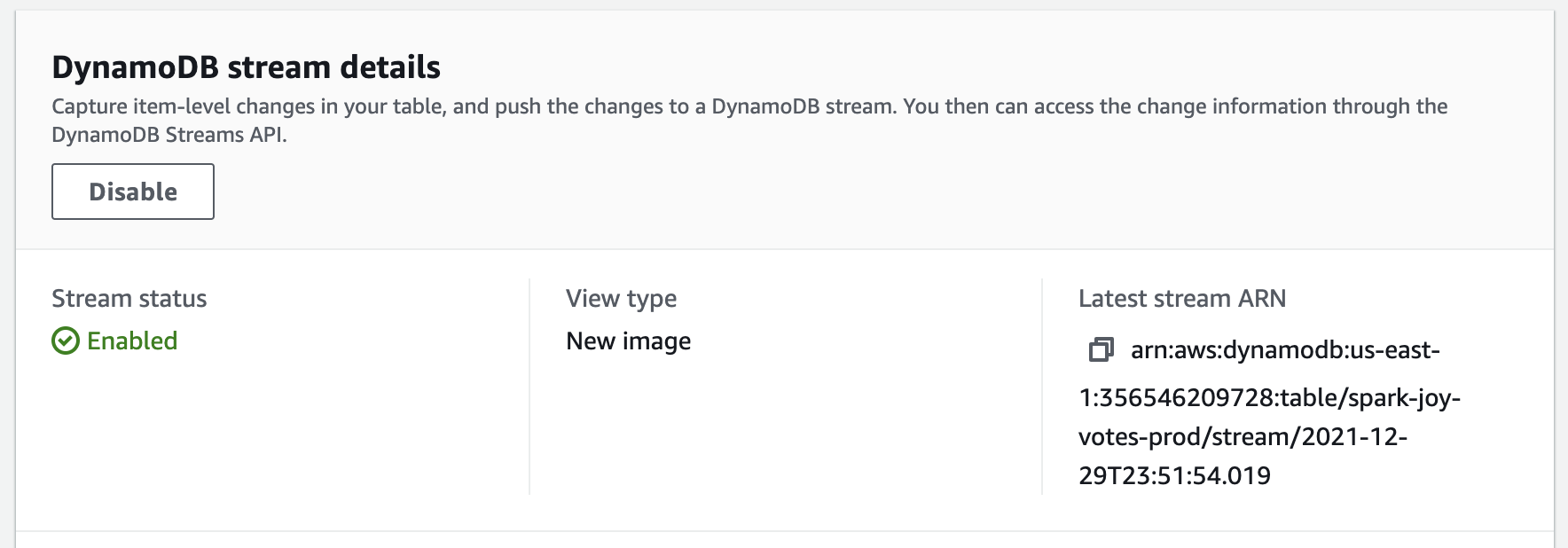
The StreamViewType defines what goes in your stream events:
KEYS_ONLY, get the key attributes of your itemNEW_IMAGE, get the full value after changeOLD_IMAGE, get the full value before changeNEW_AND_OLD_IMAGES, get full value before and after change so you can compare
NEW_IMAGE was best for my project. I just want to forward your feedback to Slack.
Trigger an AWS Lambda on a DynamoDB Stream event
You can use serverless.yml to configure a Lambda as your stream listener. Like this:
functions:
  feedbackNotification:
    handler: dist/feedbackNotification.handler
    events:
      - stream:
          type: dynamodb
          arn:
            Fn::GetAtt:
              - JoyFeedbacksTable
              - StreamArn
          # we update records when users add answers
          # hopefully this reduces noise
          # (it didn't fully)
          batchSize: 5
          MaximumBatchingWindowInSeconds: 60
This tells the Serverless Framework to:
- create a
feedbackNotificationlambda - which runs a
handler()function exported fromdist/feedbackNotification.js - when a
type: dynamodbstream event happens - on the
JoyFeedbacksTabletable - in batches of
5events - waiting at most
60seconds to collect a batch
I used batching to reduce noise in Slack because my application has a quirk that creates a lot of update events. More on that later :)
You can see the full list of options in AWS's documentation for configuring DynamoDB stream listeners.
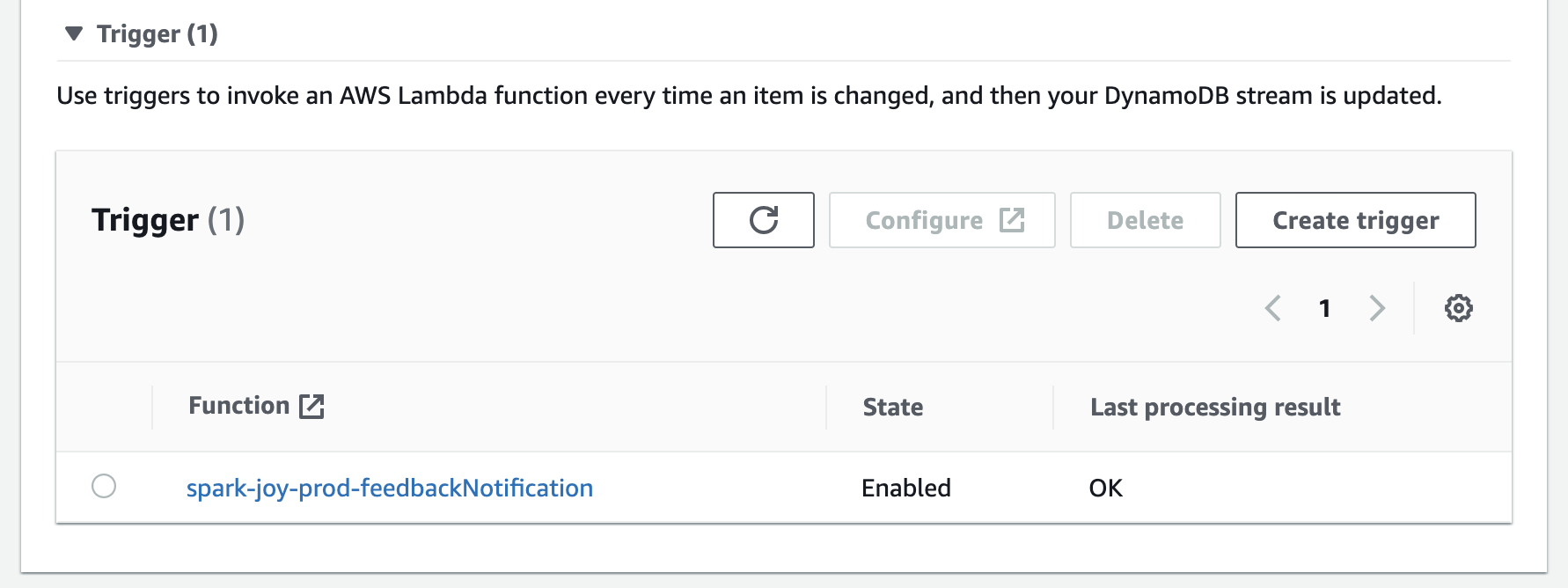
Run serverless deploy and your stream gains a trigger:
Process a DynamoDB Stream with AWS Lambda
Processing the stream is a matter of writing some JavaScript. Your function is called with an array of objects and you do your thing. Because If you can JavaScript, you can backend 🤘
I use TypeScript so I don't have to worry about typos 😛
export async function handler(event: DynamoDBStreamEvent) {
  const votes = new Map<string, Vote>()

  // collect latest instance of a vote
  // event processing happens in-order
  // https://docs.aws.amazon.com/lambda/latest/dg/with-ddb.html
  for (const record of event.Records) {
    const voteRecord = parseRecord(record)

    if (shouldNotify(voteRecord)) {
      votes.set(voteRecord.vote.voteId, voteRecord.vote)
    }
  }

  for (const [voteId, vote] of votes) {
    await sendNotification(vote)
  }
}
The handler() function
- accepts a
DynamoDBStreamEvent, - iterates over the list of Records,
- parses each record,
- ignores any we don't care about,
- creates a deduplicated Map of votes,
- sends a notification for each valid vote
Each event will have up to 5 records as per the batchSize config. Because my app is weird, we may get multiple entries for the same voteId. We throw away all except the latest.
Parse a DynamoDBStream Record with the unmarshall function
DynamoDBStream data comes in a weird shape. I don't know why.
You can use the unmarshall function from the AWS SDK to ease your pain. My parsing function looks like this:
import { unmarshall } from "@aws-sdk/util-dynamodb"

function parseRecord(record: DynamoDBRecord): VoteRecord {
  if (!record.dynamodb?.NewImage) {
    throw new Error("Invalid DynamoDBRecord")
  }

  // parse the weird object shape
  const vote = unmarshall(
    record.dynamodb?.NewImage as {
      [key: string]: AttributeValue
    }
  )

  // my list of form answers is a JSON string
  if (typeof vote.answers === "string") {
    vote.answers = JSON.parse(vote.answers)
  }

  return {
    ...record,
    vote: vote as Vote,
  }
}
Check that the record has data and use unmarshall() to parse into a normal JavaScript object. Then parse the JSON and return a modified record object.
The type casting in unmarshall() is because the official type definitions in @aws-sdk/dynamodb don't match the open source type definitions of @types/aws-lambda. And DynamoDBRecord is defined in the opensource types, but not in the official types 💩
Use incoming webhooks to send Slack messages from AWS Lambda
This is the DoTheWork portion of your code. Everything up to here was boilerplate.
You'll need to create a Slack app and configure incoming webhooks. This gives you a Webhook URL that is a secret.
Anyone with this URL can send messages to your Slack. Make sure it's safe :)
I stored mine in AWS Secrets Manager (manually). The code uses @aws-sdk/client-secrets-manager to fetch the URL from secrets any time it's needed. Like this:
import {
  GetSecretValueCommand,
  SecretsManagerClient,
} from "@aws-sdk/client-secrets-manager"

// reads slack webhook url from secrets manager
async function getSlackUrl() {
  const client = new SecretsManagerClient({
    region: "us-east-1",
  })
  const command = new GetSecretValueCommand({
    SecretId: "sparkjoySlackWebhook",
  })

  const secret = await client.send(command)

  if (!secret.SecretString) {
    throw new Error("Failed to read Slack Webhook URL")
  }

  return JSON.parse(secret.SecretString) as { webhookUrl: string }
}
Instantiate a SecretsManagerClient, create a command, send the command to get the secret. This API feels weird to me, but an improvement on AWS SDK v2.
Sending the notification looks like this:
import { IncomingWebhook } from "@slack/webhook"

async function sendNotification(vote: Vote): Promise<void> {
  console.log("Gonna send notification for", vote)

  const { webhookUrl } = await getSlackUrl()
  const webhook = new IncomingWebhook(webhookUrl)

  if (vote.voteType === "thumbsup") {
    await webhook.send({
      text: `Yay _${
        vote.instanceOfJoy
      }_ got a 👍 with answers \`${JSON.stringify(vote.answers)}\` from ${
        vote.voter
      }`,
    })
  } else {
    await webhook.send({
      text: `Womp _${
        vote.instanceOfJoy
      }_ got a 👎 with answers \`${JSON.stringify(vote.answers)}\` from ${
        vote.voter
      }`,
    })
  }
}
The console.log helps me debug any issues, then we
- get the webhook url
- instantiate a Slack client
- construct a message
- wait for
send()
And our Slack is full of feedback 🥳
Real-time really means real-time
DynamoDB Streams are real-time. You get a new event as soon as records change. And that's why my Slack notifications are noisy.
After you vote, there are follow-up questions. Each answer saves to the database, updates your vote, and triggers an event.
But I can't know when you're done! Will you vote and bail or answer 3 questions? Don't know can't know.
Keep that in mind when you build event-based systems ✌️
Cheers,
~Swizec
PS: if you're curious about serverless, consider grabbing a copy of Serverless Handbook, it's a great resource :)